
Receipts: one list for the ones that still need filing
v0.1.342 min read
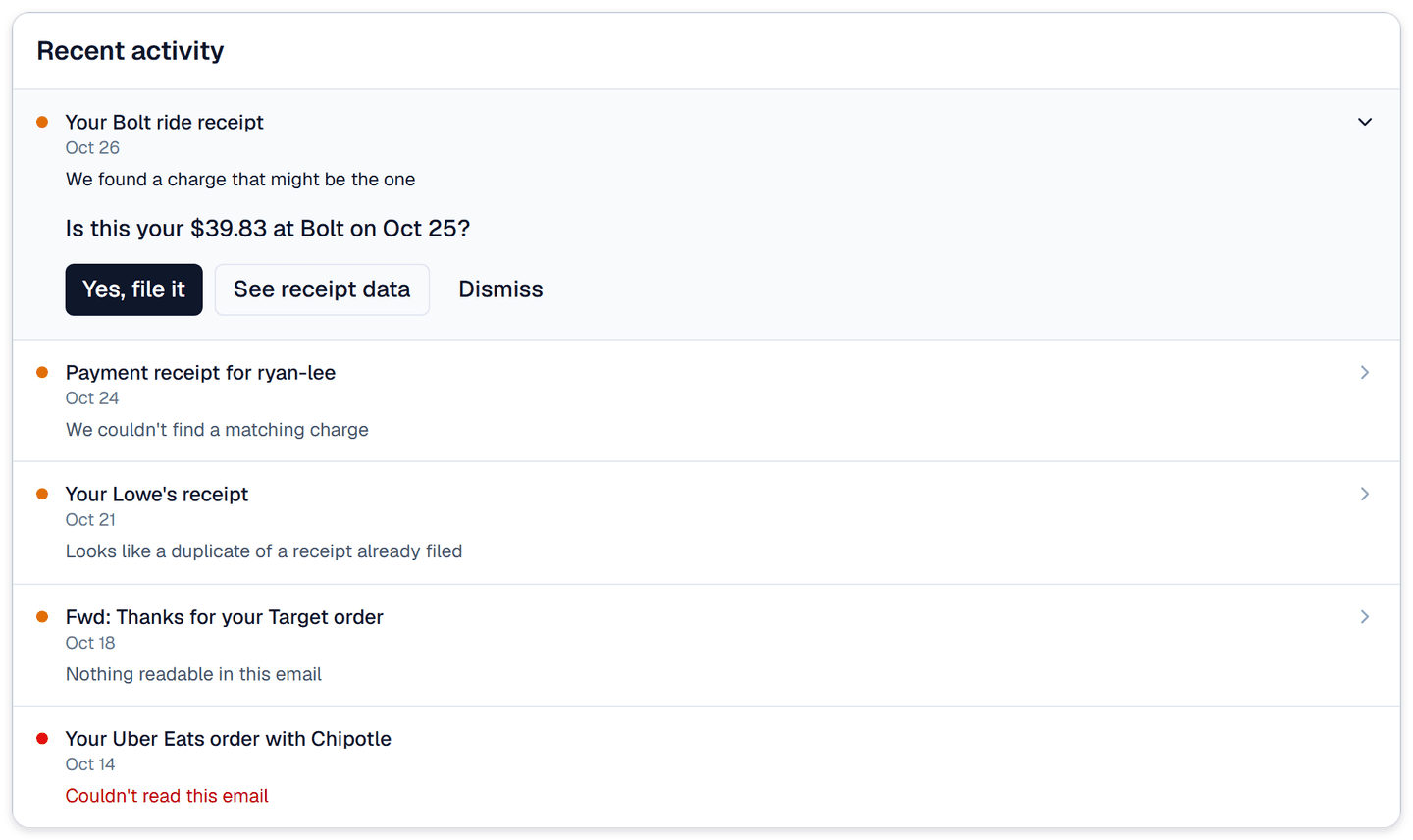
- Recent activity on Receipts: the list at the top of the Receipts page now shows only the receipts that still need something from you. Filed receipts stay in your receipt list below and no longer crowd it.
Why we built it: We found 10 of our own receipts, going back to August, that Synx couldn't match to a charge. New emails pushed these older receipts out of sight, with no indicator that there was action for you.
What you can do
- Jump straight to what needs filing: the count at the top of the page, like 3 need filing, is now a link. Click it and the page scrolls down and opens the full list.
- See why each one didn't file: every receipt has a one-line reason in plain words, like "We couldn't read an amount", "Paid in another currency, and the charge didn't line up" or "Looks like a duplicate of a receipt already filed".
- Open a receipt to deal with it: click a row and it opens in place. When Synx has a guess, it asks something like "Is this your $39.83 at Bolt on Sep 28?" Click Yes, file it and you're done.
- Look at the receipt itself: See receipt data opens the receipt, with its image and what Synx read from it. From there you can search for the right charge and pick it.
- Dismiss what isn't a receipt: Dismiss takes it off the list. Changed your mind? Click Undo on the same row before you leave the page.
- See five at a time: the list shows the newest five. Show all opens the rest, up to 50, and Show fewer goes back to five.
- Watch a new forward come in: a receipt you just forwarded shows here while Synx reads it. Once it files, the row tells you which charge it went to.
Good to know
- Out of tokens: a receipt waiting on tokens shows Add tokens, which takes you to your usage page.
- All caught up: when nothing needs filing, the list says so and waits for your next forward.
- Your receipts only: in the household view you see the receipts you forwarded, not your partner's. They file theirs from their own login. The "on file" count still covers the whole household.
- On the web for now: the Receipts page lives in the Synx web app.