
Split for Groups: one trip, every charge, everyone on the same page
v0.1.312 min read
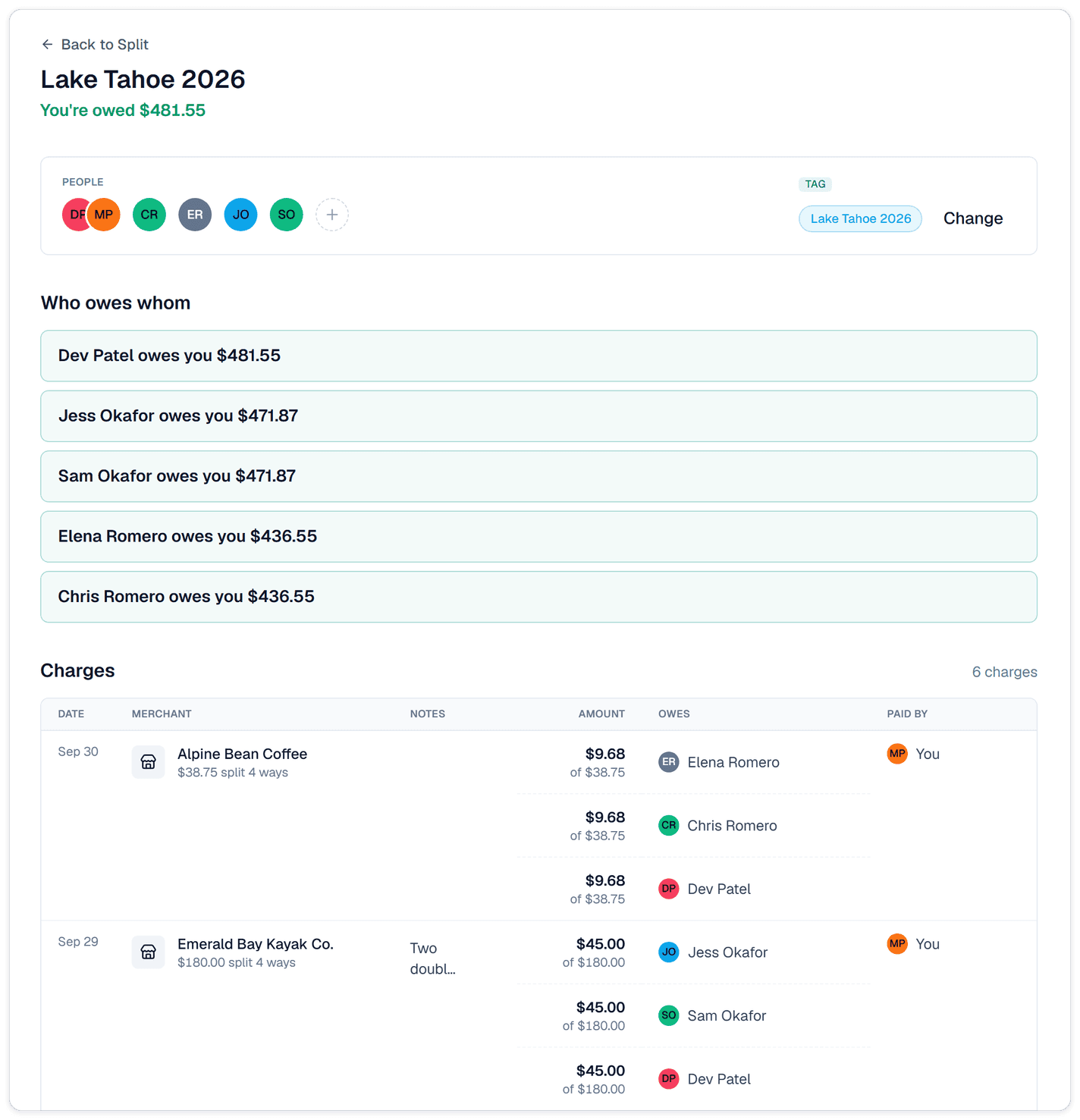
- Split for Groups: a trip group in Split is now one shared page. Everyone in the group sees the same charges and the same balances, and you can bring in people who don't use Synx.
Why we built it: We're traveling with family right now, and the costs are split between three couples. One couple books the house, another covers groceries, we pay for dinners. We wanted every one of those charges in Synx and categorized, not just the lump payment at the end. Groups now do that, even for the family members who don't have Synx.
What you can do
- Start a group from a tag you already use: tap New group on the Split tab and pick Use existing tag. If you've already tagged the trip's charges, Synx shows how many aren't in the group yet. Tap Review to add them.
- See one shared page: open the group from Transactions → Split. Everyone in the group sees the same list of charges and who owes whom. Each charge shows once, even when it's in more than one person's books.
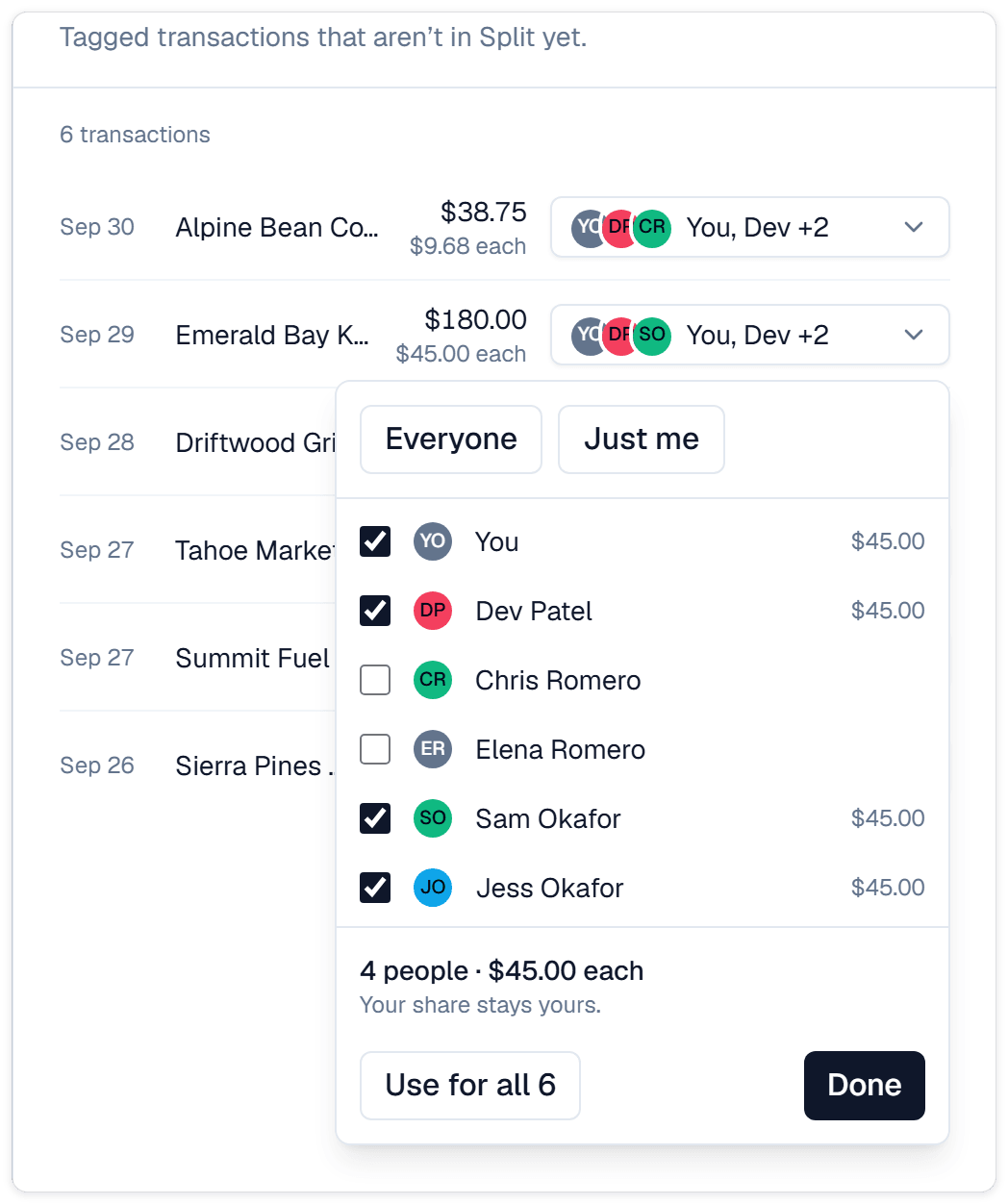
- Split a charge with just the people involved: not every dinner includes everyone. Under Split with, choose Everyone, Just me, or check off the people who were there. Same as repeats the split you used on an earlier charge.
- Keep a couple together: people who share a household in Synx show up together in the group. Your partner can see the group too, and in the household view you can settle up for each other.
- Leave notes everyone can read: click the note on any charge to add context, like "includes the dog sitter." Everyone in the group sees it.
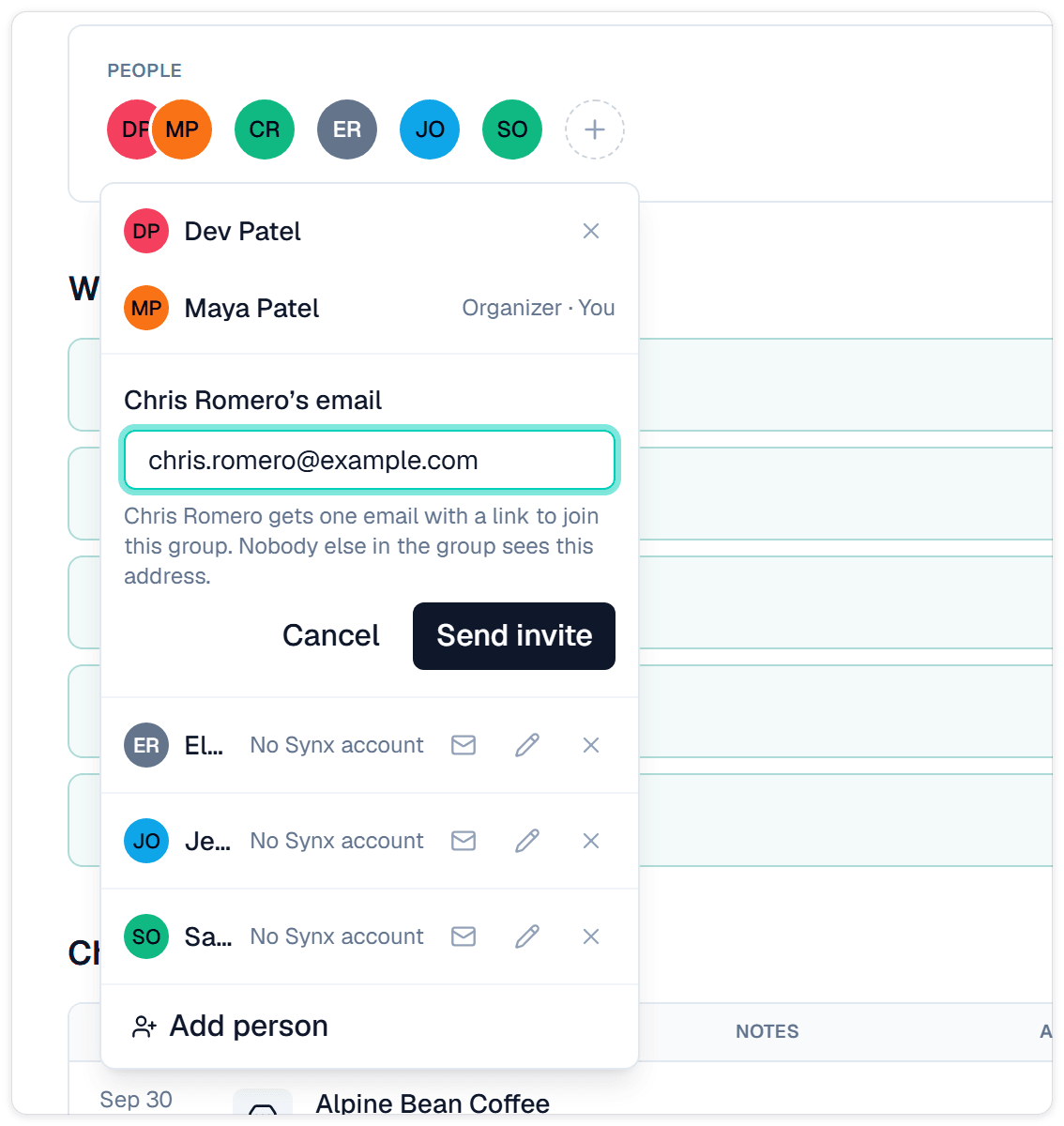
- Invite family who don't use Synx: if you started the group, tap the mail icon next to someone without a Synx account and enter their email. They get one email with a link to join. Nobody else in the group sees their address.
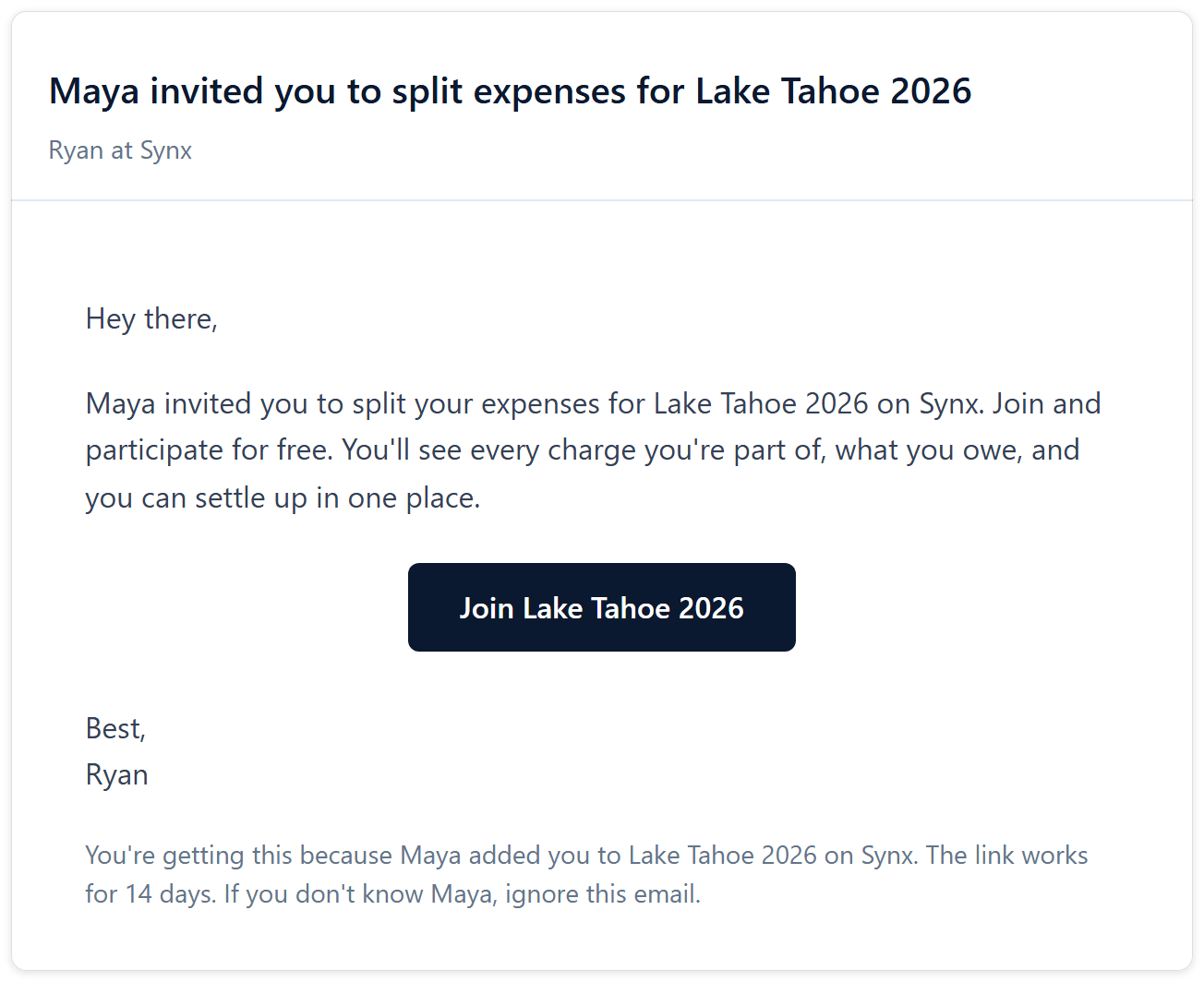
- Free account for the people you invite: the person you invite gets a free Split account. They see every charge they're part of, what they owe, and can settle up. They never link a bank.
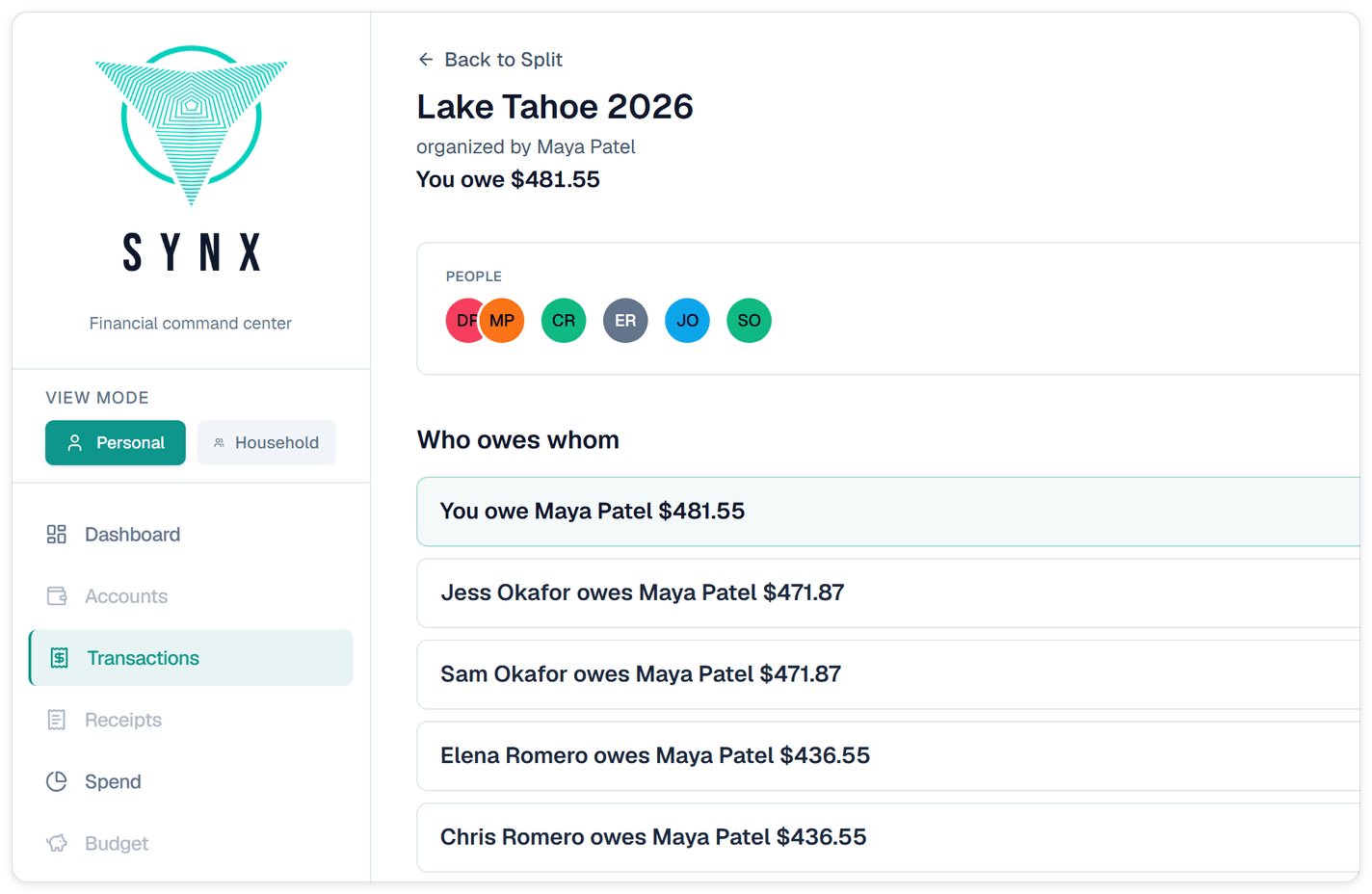
- Charges arrive categorized: when someone joins, the charges they're part of land in their own transactions as "Paid by" rows, tagged with the trip. The category comes along too.
Good to know
- Invites last 14 days: if a link expires, tap the mail icon again to send a fresh one.
- Free accounts are for Split only: they include Dashboard, Transactions, Spend and Settings. Everything else is greyed out. A free account can't link a bank, start a group, or invite anyone.
- Custom categories don't copy over: if a charge uses a category the other person doesn't have, it arrives under the main category, or as Uncategorized. They can change it.
- Up to 25 people per charge.
- On the web for now: groups and invites live in the Synx web app.