
Your whole year on one screen
v0.1.17📊 Flip the spend page from months to years: one bar per year, this year counted through today, and every breakdown below follows the year you pick.
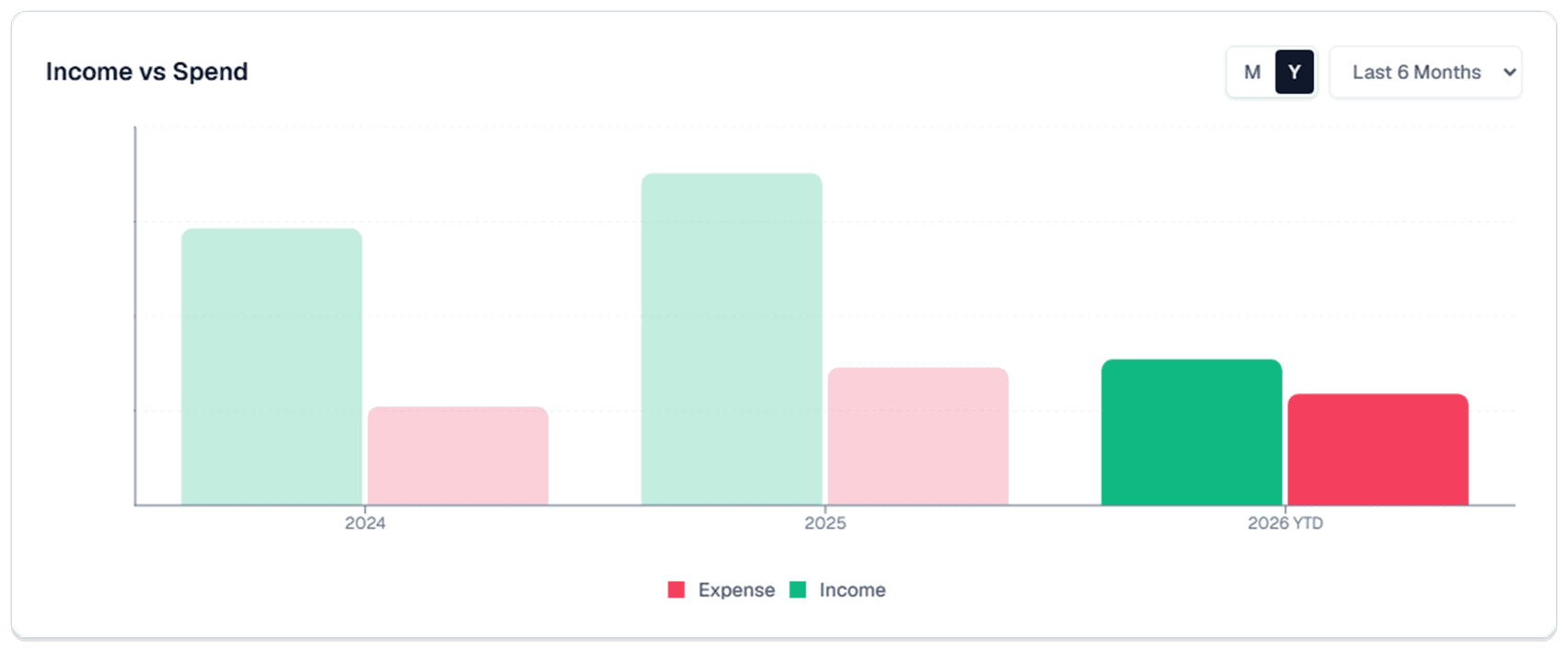
- A year view on Spend: there's a new M | Y switch next to the period dropdown. Y redraws the page a year at a time instead of a month at a time.
Why we built it: One of our members told us they were exporting their transactions into a spreadsheet every few weeks, just to answer "what came in and what went out last year?" That's a question the page should answer in one click, so now it does.
What you can do
- Switch to years: hit Y above the income and spend chart. You get one income bar and one spend bar for every year you have transactions in Synx, lined up side by side.
- See this year so far: the current year counts through today and is labeled YTD, so you're not stacking a partial year against a finished one and wondering why it looks light.
- Click a year to dig in: pick a bar and everything under it follows. The category breakdown, Top Spending, and the split between household members all move to that year, exactly the way clicking a month works today. Top Spending still opens up, so you can see a whole year of Groceries broken into its parts.
- Bookmark the view: the year and the M or Y choice live in the web address, so you can save a link to 2025 on Spend, or send it to your partner, and it opens right where you left it.
- A cleaner year list in month view: the period dropdown no longer offers years in the future. It lists only the years that can actually have transactions in them.
Good to know
- Tagged Money doesn't move: it still covers everything in view no matter which switch you're on. M and Y only change the sections above it.
- Card rewards stay monthly: rewards run on statement cycles, so that section hides while you're in the year view. Switch back to M to see it.
- The first flip takes a beat: the page loads recent months up front, so the first time you hit Y it goes back for the older years. You'll see the bars sketched in while it works, and after that switching years is instant.