
Your tag colors, everywhere your money goes
v0.1.18🎨 The colors you pick for your tags now show up on the Transactions page, and Tagged Money on Spend shows a tag's savings and investments right next to its spending.
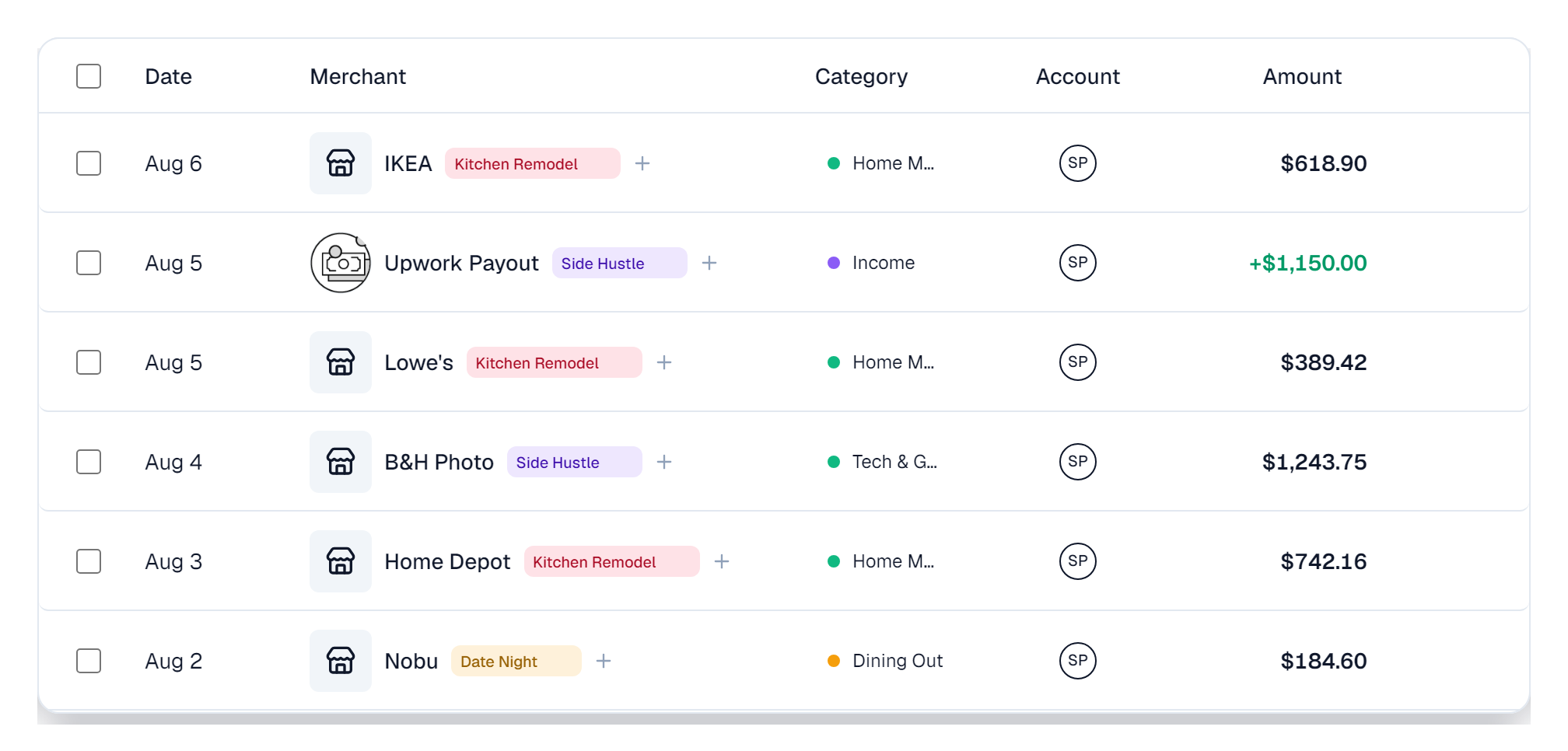
- Tag colors on the Transactions page: the color you give a tag in Settings → Tags now shows on the tag itself, on every transaction it's attached to, instead of the same grey for everything.
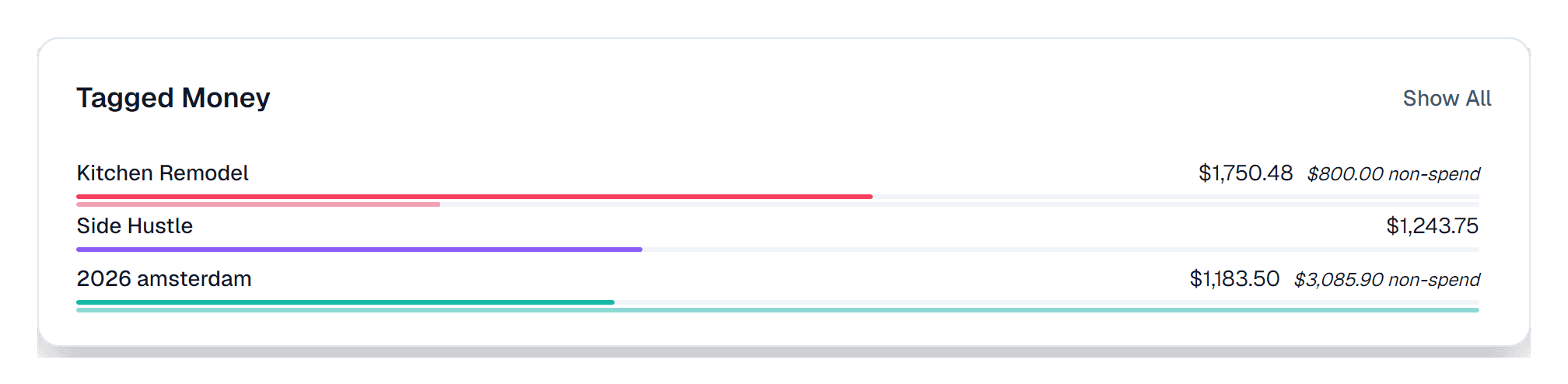
- Tagged Money shows both sides of a tag: on the Spend page, each tag now draws a bar for its spending and a second bar for everything else you've tagged, like money moved to savings and investment contributions.
Why we built it: This one sat on our back burner for a while. Then one of our members asked why the colors they picked in settings didn't show up anywhere else, and that moved it to the front of the line.
What you can do
- Give every tag a color: in Settings → Tags, pick from the palette or dial in your own exact shade. Whatever you choose, we adjust the text on the tag so it stays easy to read, in light mode and dark.
- Spot your tags at a glance: on the Transactions page, a tag now wears its color as a soft tint, so "2026 Amsterdam" and "Kitchen Remodel" stop looking identical while you scroll.
- See a tag's whole picture in Tagged Money: the top bar is spending, and the thinner bar under it is everything else with that tag on it, like savings you moved or contributions to investments. Both bars share one scale, so $800 moved into a renovation fund finally looks bigger than $47 of dining out.
- Tags with no spending show up too: a tag that's only transfers, like a vacation fund you keep adding to, used to sit there with an empty row. Now it gets a real bar like everything else.
- Months below the line: in a tag's Monthly view, a month where more money came back than went out now draws its bar below the zero line. Before, that month just disappeared from the chart.
- Your colors reach Tagged Money too: the non-spend bars take on the tag's own color in a softer shade, and the Savings and Investments lines under a tag use the colors you picked in Settings → Categories.
Good to know
- Muted on purpose: the non-spend bars are a quieter shade of the tag's color, so spending and not-spending never read as the same thing at a glance.
- No color picked, no tint: tags and categories you haven't chosen a color for keep the neutral look they have today.
- Split transactions count once now: if you tagged a transaction and also tagged the pieces you split it into, the non-spend number was counting the whole original on top of its pieces, so it read higher than it should have. Each split now counts once, through its pieces.