
Pending transactions now say so
v0.1.20🕒 A small clock marks any charge your bank hasn't finished posting, so you know which amounts and dates can still change.
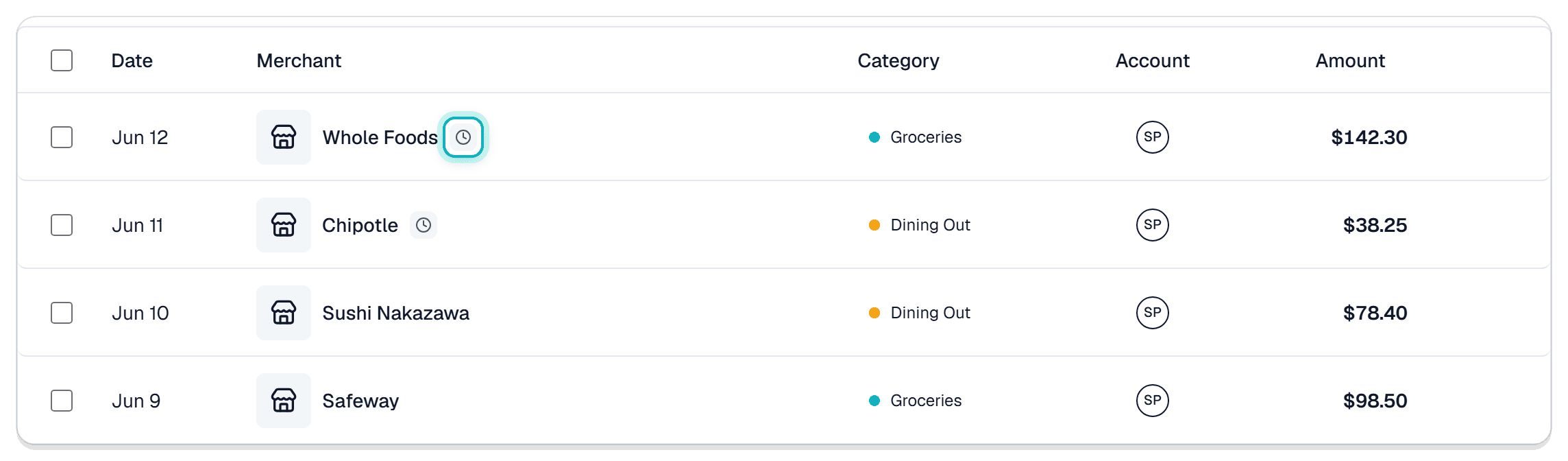
- Pending charges are marked now: a charge your bank hasn't finished posting wears a small clock on the Transactions page, so you can tell at a glance which rows are still moving.
Why we built it: A pending charge isn't final. When it posts, the amount changes, the date changes, and sometimes the merchant name changes with them. Without a marker, that reads like Synx quietly rewrote your history.
What you can do
- Spot them in the list: the clock sits right after the merchant name. Hover it and Synx tells you what it means: not yet settled, so the amount and date can still change.
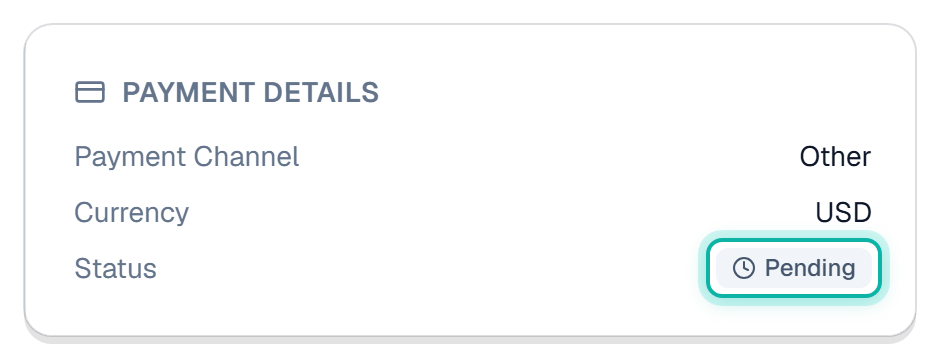
- See it spelled out: open the transaction and Payment Details carries a Status row that reads Pending, in words rather than an icon, for when hovering isn't an option.
- Know what's still moving: while a charge is pending, its amount, its date, and its merchant name can all change when the bank finishes with it. The tip you left at dinner usually turns up at that point.
- Match your statement without second-guessing: when a number in Synx doesn't line up with your bank, the clock tells you whether the row is final yet.
- It clears itself: once the bank posts the charge, the clock goes away on its own. There's nothing for you to confirm or clean up.
- Your work comes along with it: posting updates that same transaction instead of dropping a second one underneath it. Tags, notes, receipts and splits stay attached, along with anything you marked to be paid back, now sitting against the final amount.
Good to know
- It comes from your bank, not from you: the clock reflects what your bank reports, on any account you've linked. It isn't a setting.
- No fixed timer: most charges post within a day or two, some sit longer. It clears when your bank says it has.
- Pending money still counts: a pending charge lands in your spending totals the same way a posted one does. Marking it doesn't pull it out of the math.
- It's a marker, not a tag: the clock isn't something you can filter by, sort on, or add yourself, and it doesn't take up a tag slot.