
30-day cash flow forecast: are your bills covered?
What Synx needs from you to get your next 30 days right
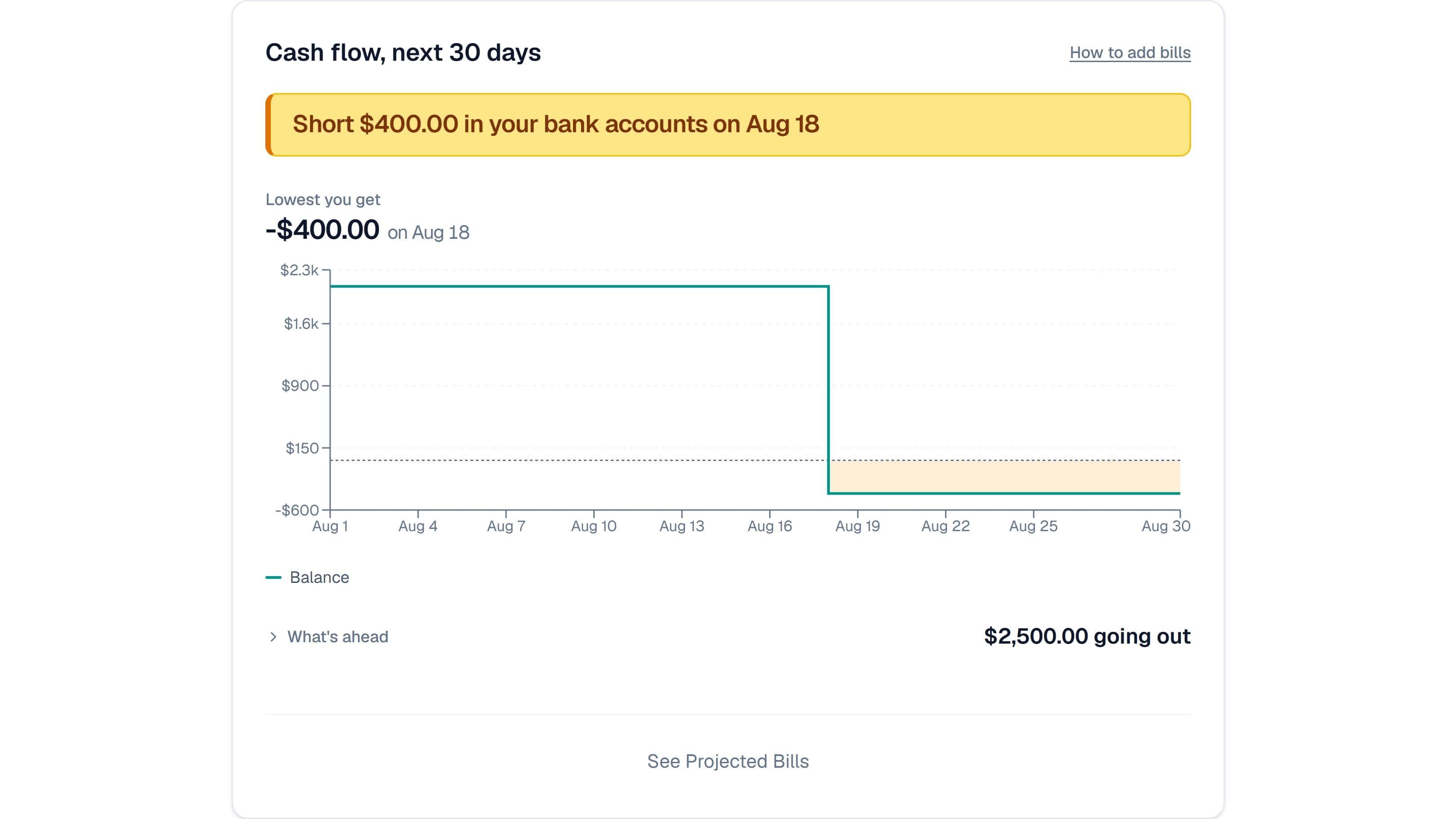
There is a section on your dashboard called Projected cash flow, 30 days. It answers one question: does the money in your accounts, plus everything landing in them over the next 30 days, cover the loan and card payments due in that window?
That tells you when you need to move money, and when you don't. If your cash is parked somewhere earning interest, you can leave it there until the week it's actually needed. If you're funding a project from a line of credit, you can see whether your income arrives before the payment does. Draw on the credit line early and you pay interest you never had to.
You get one sentence at the top. "Bills covered through Oct 3", say, or "Short $340 in Checking on Sep 19". Under it, the lowest your balance gets this month and the day that happens. Under that, a list of everything we counted.
It can only work with what you've given it. Below is everything it reads, what breaks when a piece is missing, and the one gap that stops it answering at all.
How to set up your 30-day forecast
Five things, in this order. Each one needs the one before it.
1. Link at least one checking or savings account. The starting number is your cash on hand, and only bank accounts count toward it. Credit cards, loans and investment accounts contribute nothing to the balance the line starts from, even though your cards matter enormously on the other side of the ledger. Savings, money market, CDs, HSAs and prepaid accounts all count as cash. With no bank account linked, the section doesn't render at all.
2. Make sure that bank is actually syncing. If your bank stops reporting a balance, we won't guess one. We'll name the account and tell you the answer is incomplete. We're not going to hand you a definitive number built on a stale figure. Same if a connection has never reported at all. Reconnecting it is usually a 30 second job in Settings.
3. Get at least one bill onto the account. Your bank tells us your balance. It never tells us what you owe next month. That has to come from you, and there are two ways.
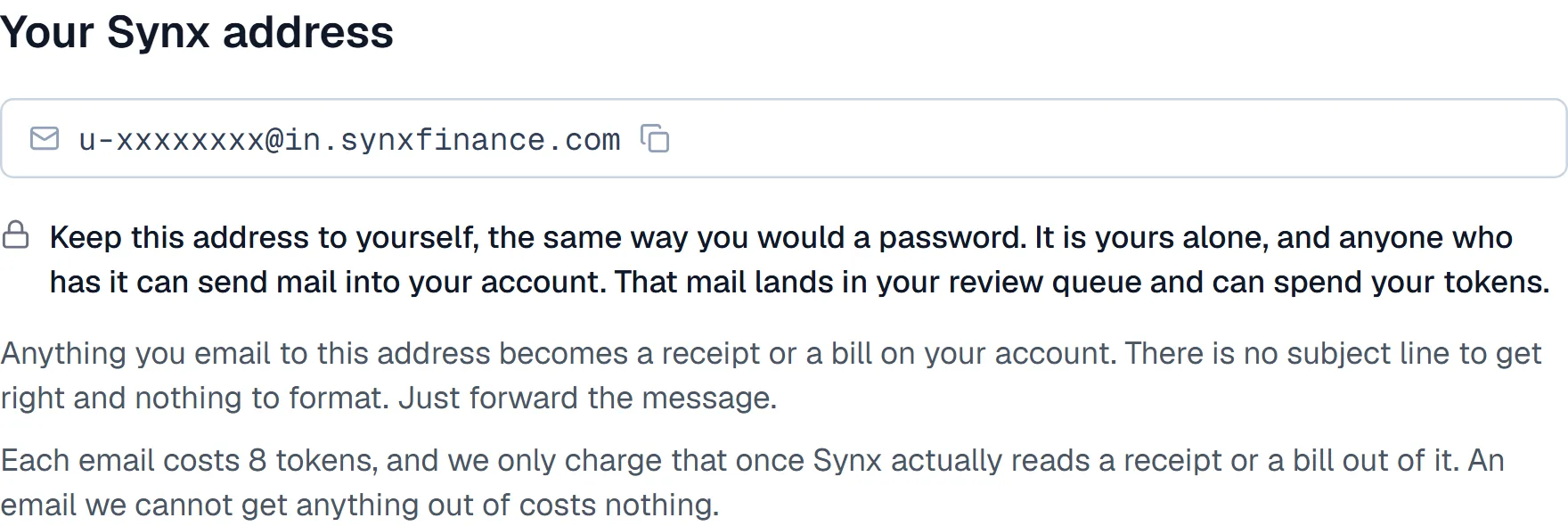
Forward it and we'll read it. Your private Synx address looks like u-xxxxxxxx@in.synxfinance.com and it's on Settings, then Inbox. Forward a card or loan statement, and about a minute later the amount due and the due date are in your forecast. It costs 3 tokens per statement, and you're only charged when we actually read something useful out of it.
It's an email address rather than a button because your email already has filters. Write one rule that auto-forwards anything from your credit card provider or lender, and the statements arrive on their own every month. That's the setup we had in mind: do it once, then stop thinking about it.
Paper works too. If an institution still mails you a statement, photograph it and send the picture to the same address. Same 3 tokens, same result.
Or type it in yourself. In the recurring view there's a Bills section with an Add a bill button. Same result, more typing, no tokens. People use it for three reasons:
- You already know the number and would rather not spend tokens having it read.
- Your institution doesn't put the figures in its emails, and won't. More on that below.
- You want a number in the forecast right now.
Why you get the choice. Synx is software you pay for once. Reading your mail isn't software. Every forwarded email costs us real money at the model that reads it, so we pass that through at 3 tokens instead of raising the price for everyone. You pay for the automation you use and nothing else. Type your bills in and you'll never spend a token. Forward everything and it runs itself.
4. Every bill needs a dollar figure. This is the one that catches people, and it gets its own section below.
5. If you share a household, each person does their own. Nothing carries over from a partner. Your spouse's linked banks are their banks, and a statement they forward comes from their address, not yours. You'll both see the household picture once you've each done your own half, but neither of you can do it on the other's behalf.
Why a bill with no amount stops the forecast
If a bill lands in your forecast with no dollar amount on it, we stop answering. Not just for that bill. For everything.
We do that on purpose. If we know a payment is coming and we don't know how big it is, we can't honestly tell you whether you're covered. Dropping it quietly would be worse: you'd get a definitive "you're fine" that might be wrong. So the sentence at the top stops claiming anything until you fill the gap.
Usually it's a due-date alert: an email telling you a payment is coming and when, with no figure anywhere in it. Forward one and you've told us the date without the amount.
The fix is on your credit card provider's side, not in Synx. Go into their alert settings and turn on the statement notification, the one that carries the balance and the minimum, instead of the bare due-date reminder. With American Express, for example, you have to switch that on yourself. Once you do, the amount and the due date both start arriving in the email. Either figure is enough for us. We only stop when both are missing.
If you'd rather not wait for next month's statement, add that bill by hand and we start answering again.
What happens on its own
Plenty of this needs nothing from you. Here's what, so you don't go looking for a setting that doesn't exist.
We spot recurring charges on our own. Two matching transactions are enough for us to call something recurring. We look back a little over a year, and match on the merchant plus an amount within about 15%. In practice a subscription turns up in What's ahead the third time it hits.
It doesn't matter which account the charge lands on. Bank transactions and card transactions get watched the same way. What the account changes is when we count it. A subscription on a credit card doesn't leave your checking account on the day it renews. It leaves when that card's statement gets paid, so that's where we put it.
We spot your paycheck the same way. Separate detection, also three deposits before it counts, with more leeway because pay moves around. If you're paid twice a month it takes six. The amount we plan around is the smallest deposit we've seen from that source, never the average. We'd rather understate your income than plan around money that doesn't show up.
Payment settings all start off cautious. New cards assume you pay the full statement balance, with autopay off and no funding account. If you actually pay the minimum, tell us and the picture gets better, not worse.
You change that per account on the Accounts page. Every credit card and loan carries a line underneath it reading something like "Statement balance · Autopay off". Click it to set how you pay, switch autopay on, and name the account it pulls from.
Making it more accurate
None of these are required. Each one takes away a guess we'd otherwise have to make.
- Include the due date. A bill with no readable due date gets dated three weeks out and marked as an estimate. Usually close. Not always.
- Link the card itself, not just its statement. Then the bill attaches to a real account, and the charges that statement already covers stop being counted a second time on their own renewal dates.
- Forward a card's statement from whoever linked that card. Same reason.
- Set "How you pay" on each card. Statement balance or minimum due. We assume the full balance until you tell us otherwise, which is the gloomier of the two.

- Turn on autopay and name the account it pulls from. That turns a vague shortfall into "Chase autopay hits Checking Aug 18, move $412 to Checking first." Autopay on with no account named is its own state. We'll say so instead of guessing.
- Confirm authorized-user card links in Settings, then Household. It's how we know your card and your partner's card are the same card, so the same bill doesn't get counted twice.
- Fix a misdetected recurring charge. Change how often it repeats, or dismiss it if it isn't real.
- Recategorize a transfer that got filed as spending. Moving money between your own accounts isn't a future charge. Miscategorized, it will keep showing up as one.
- Keep your token balance topped up. Out of tokens means forwarded statements stop being read. The sentence at the top will tell you that's why.
If you share a household
You share the picture. You don't share the setup.
Each person links their own banks and forwards their own statements from their own address. Once you've both done it, household view counts everybody's accounts and everybody's bills together, and a bill row says whose statement it came from. Switch to personal view and you see only your own.
Payment settings are the exception. Those live on the account, not the person. So if you share a card, either of you can change how it's assumed to get paid, and that choice feeds both your forecasts.
Looking at money together without sharing logins shows how this plays out in a real household, week to week.
What it deliberately leaves out
If a number leaves things out on purpose, you should know what they are.
Income we can't schedule doesn't show up. Freelance work, irregular deposits, anything without a pattern gets left out, and right now nothing on screen tells you so. If most of your income works that way, treat a shortfall here as "the money I can count on doesn't cover this", not as the full story.
Irregular income is on our list. We'll be adding features to help you plan around money that doesn't arrive on a schedule.
Spending you haven't been billed for isn't in here. We count what you owe on a statement, not what you spent yesterday. Groceries, gas and this morning's coffee turn up when the next statement does.
A missed paycheck isn't carried forward. If a deposit we expected before today never arrived, we drop it rather than assuming it's on its way.
TL;DR: link a bank, forward your statements, and make sure every one of them has a number on it.